


NordPass Password Manager
4.42.47K Reviews
App Specs
- Version
- 5.14.3
- Updated On
- License
- Free
- Downloads
- 1,000,000+
- Developer
- Nord Security
- Categories
- Productivity
- Platform
- Android
Screenshots
 Analysis by AppCompare
My password routine used to break down in small, familiar ways: reusing a login because I could not remember another, resetting a password while standing in a checkout line, or leaving an account untouched because signing in felt like a chore. A password manager is meant to make those moments less stressful, but only if it fits the way I actually use my phone. NordPass Password Manager is a productivity app from Nord Security that puts saved logins and passkeys in an encrypted vault, and I find its appeal is clearest when I treat it as part of a daily sign-in routine rather than a one-time security fix.
Starting with the accounts you use most
I would not begin by trying to move every login I have ever created. The smoother approach is to start with a handful of important accounts: email, banking, shopping, and the services I sign into often. That gives the vault an immediate purpose, while keeping the first setup manageable. As I add accounts, I can replace reused or weak passwords gradually instead of turning password cleanup into an exhausting weekend project.
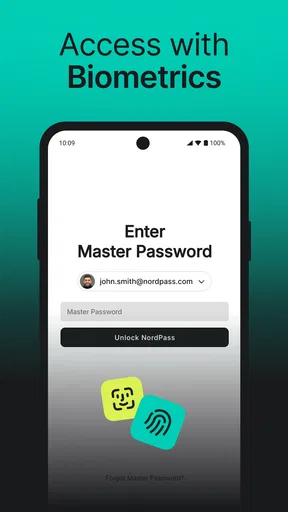
The first practical question is whether a password manager will work with the places I sign in. NordPass is designed around passwords and passkeys, but the experience still depends on the site or app and the sign-in options it supports. I would keep a recovery route for essential accounts and make sure I understand how I will access the vault before relying on it for everything. A password manager can reduce the number of secrets I need to remember; it does not remove the need to protect the way I get into the manager itself.
A sign-in flow that saves effort
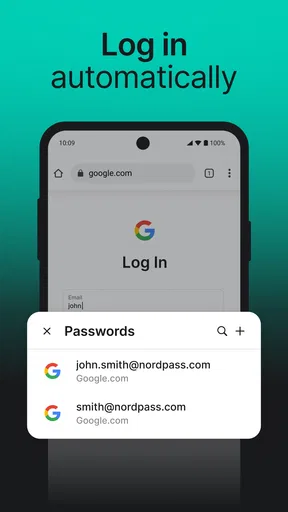
In ordinary use, the useful sequence is simple: open an account, choose a unique password, save it, and let autofill handle later sign-ins when it is offered. That small change matters most on a phone, where switching between an app, an email message, and a password-reset screen can be fiddly. Passkeys add another route when a service supports them, so I can use a newer sign-in method without having to treat every website as if it works the same way.
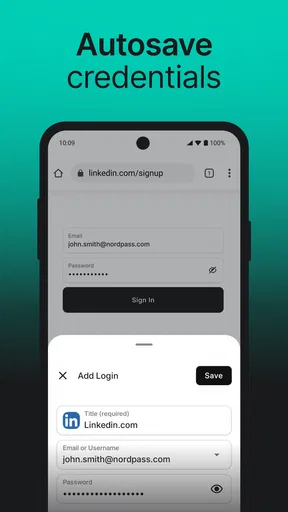
One tip I would follow is to check each saved entry while adding it. A useful record needs the right account name and the correct login details; a vault full of half-identified entries can be almost as frustrating as relying on memory. I would also update a saved password after changing it on a website, rather than assuming the manager has automatically learned about the change. This is a small bit of housekeeping that prevents an old credential from becoming a surprise later.
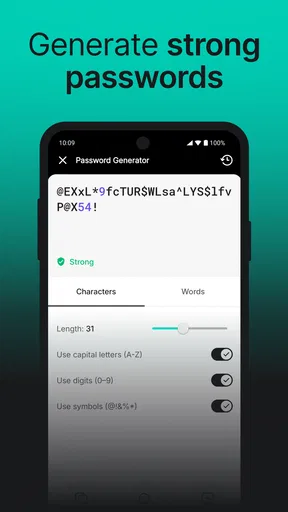
The password generator is particularly handy when I create a new account or change a password after a security prompt. Instead of inventing a variation on a familiar phrase, I can use a distinct generated password and save it with the account. That reduces the temptation to reuse a password simply because it is easy to type. For accounts I rarely visit, this is a better trade than trying to memorize every complex string.
Moving between phone, browser, and other devices
A realistic day might start with a sign-in on my phone, continue with an account opened on a computer, and end with a purchase in a shopping app. Having a vault available across devices can make those handoffs less dependent on texting myself a password or searching old notes. NordPass supports use across Android, iOS, and desktop, which is useful if my routine genuinely moves between those screens. The practical benefit is continuity: I can reach the same saved login where I need it, rather than rebuilding my password list on each device.
Worth Reading Before You Choose

EA SPORTS FC Mobile 26 Is a Bigger Football Game, but It Takes Time

Flipboard Shows What News Apps Must Do Beyond the Feed

Switching to Android Auto Means Rethinking Your Driving Routine

Google Calendar Makes a Crowded Week Easier to Manage

Ludo King Makes the Most of the Minutes Between Plans

Baby Panda World Brings Quick Play to Modern Phones, but Its Game Library Feels Busy
There is still a handoff to manage when I use autofill. If a login screen does not offer the expected prompt, I may need to open the manager and find the entry myself, then return to the original app. That is not a deal-breaker, but it is worth knowing before expecting every sign-in to happen in one tap. I would test autofill with the apps and sites I rely on most, then keep a calm fallback routine for the occasional screen that behaves differently.
Who will get the most from it
I think this app makes the most sense for someone who has accounts on several services, uses a mix of phone and computer, and wants to stop recycling a small set of passwords. It can also help households or individuals who are tired of password resets interrupting ordinary tasks, though each person should be clear about which account and device they are using. The benefit is not only stronger credentials; it is being able to recover a login without relying on guesswork.
On the other hand, someone who already uses a password manager built into a browser or phone and is happy with its autofill may not gain enough from switching to justify moving a large vault. The built-in option can be simpler if all sign-ins happen in one ecosystem. NordPass is more compelling when I want a dedicated password-and-passkey vault across different kinds of devices, but convenience depends on how well it fits my existing habits.
The Setup Experience
First things first, getting started with NordPass Password Manager was a breeze. I downloaded it from the Play Store, and the installation was smoother than a fresh jar of Skippy. The app guided me through setting up an account, and before I knew it, I was ready to dive in.
What struck me immediately was the sleek, user-friendly interface. It felt like NordPass knew exactly what I needed before I even did. Setting up my master password was straightforward, and I was impressed by the app's emphasis on creating a strong, secure password. Kudos for pushing security first!
Features That Stand Out
Once inside, the app's features unfolded like a treasure map. One of the standout features was the password generator. Now, instead of racking my brain to come up with a unique password for every account, NordPass does the heavy lifting. It churns out complex passwords that would make any hacker's head spin.
The auto-fill feature was another lifesaver. Imagine browsing through your favorite sites without having to type a single password. NordPass fills in the details for you, and it does so seamlessly. It's like having a personal assistant who knows all your passwords by heart.
Security and Privacy
Speaking of security, I delved into NordPass's encryption protocols. The app uses XChaCha20 encryption, which, in layman's terms, is top-notch. Your data is stored securely, and even if someone manages to get their hands on it, decrypting it would be a Herculean task.
Another neat feature is the zero-knowledge architecture. Essentially, NordPass doesn't store or have access to your master password. So, even if someone tried to pry into their servers, they'd hit a dead end. It's reassuring to know that my data is for my eyes only.
Cross-Platform Compatibility
In our multi-device world, having an app that plays nice with all your gadgets is crucial. NordPass syncs effortlessly across devices, whether you're on Android, iOS, or even on your desktop. I found it incredibly handy to have all my passwords available, whether I was on my phone or sitting at my laptop.
Pricing and Plans
The app is free to download, and its Everyone age rating makes it suitable for a broad audience; in-app purchases range from about $5 to $36 per item. I would decide whether to pay only after trying the everyday sign-in flow and checking which features matter to me. If I only need a straightforward way to store and retrieve logins, I would compare the free experience with the password manager already built into my phone or browser before committing to another subscription or purchase.
For context, it has a 4.4 average from around 31,000 ratings, with more than 2,000 written reviews and over a million installs. Those figures suggest that it is an established choice, but they cannot tell me whether autofill will behave well in my own apps or whether I will prefer its organization. I would use a few real accounts as a trial, not move my entire digital life on day one.
When the routine gets interrupted
The main limitation of any vault is that it becomes an important part of the sign-in chain. If I forget the master password or cannot access the device I normally use, a saved login is not automatically useful. I would choose a master password I can reliably recall, keep my account recovery details current, and avoid storing the only copy of those recovery details inside the vault itself. That is a sensible precaution, not a reason to avoid password managers.
There is also a learning curve in changing old habits. Autofill can feel slower than a memorized password during the first few days, especially when an app has an unusual login screen or when I have not saved the correct entry yet. The payoff comes as I replace reused credentials and stop needing to remember them, but the transition takes attention. If I am unwilling to spend a little time organizing entries and checking them after password changes, the convenience may not arrive on its own.
NordPass was released in November 2019, and the current version is 5.10.3, with Android 9 as the minimum operating system. I would check that compatibility before planning a switch, particularly if I rely on an older phone. It is developed by Nord Security, and its focus is squarely on managing credentials rather than serving as a general notes app or a complete account-recovery service. For people who want one simple place for logins and passkeys, that focus is useful; for someone seeking a broader digital organizer, it may feel narrow.
My verdict after following the workflow
After spending some quality time with NordPass Password Manager, I can confidently say it's a game-changer for anyone looking to streamline their digital security. Its blend of user-friendly design, powerful features, and robust security makes it a must-have app. If you're tired of the password juggling act, NordPass might just be your new best friend. So go ahead, give it a try—you won't be disappointed!
My more measured recommendation is to start small: save the accounts you use every week, generate distinct passwords for new or changed logins, and test the phone-to-computer handoff before moving everything. If that routine feels natural, expanding the vault is easy to justify. If your browser’s built-in manager already handles your devices and sign-ins reliably, staying with it may be the simpler choice. For me, NordPass is most useful when it removes repeated friction without making access to my own accounts feel like another project.
Pros
- User-friendly interface
- easy navigation.
- Secure encryption for data protection.
- Cross-platform sync for all devices.
- Password generator enhances security.
- Offline access for stored passwords.
Cons
- Limited features in free version.
- No password breach alert feature.
- Autofill can be inconsistent.
- No phone support for users.
- Occasional sync delays.
FAQs for NordPass Password Manager
What is NordPass and how does it work?
NordPass is a password manager designed to securely store and organize your passwords. It uses advanced encryption to protect your data, allowing you to access your passwords across devices. The app auto-fills login details, generates strong passwords, and ensures your information is safe from cyber threats.
Is NordPass secure enough for storing sensitive information?
Yes, NordPass employs top-notch security measures, including zero-knowledge architecture and XChaCha20 encryption. This means only you can access your data. NordPass never stores your master password, ensuring that even if their servers were compromised, your data would remain secure.
Can NordPass be used on multiple devices?
NordPass is available on multiple platforms, including Android, iOS, Windows, macOS, and Linux. With its synchronization feature, you can access your passwords on all your devices. This makes managing your accounts seamless and convenient, whether you're on your phone, tablet, or computer.
Does NordPass offer any additional features besides password management?
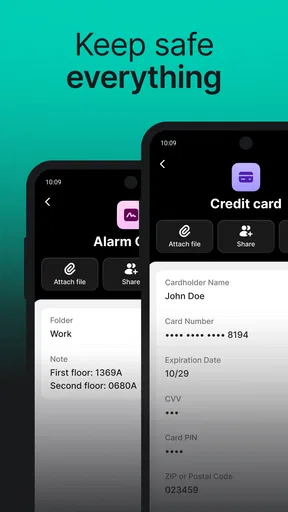
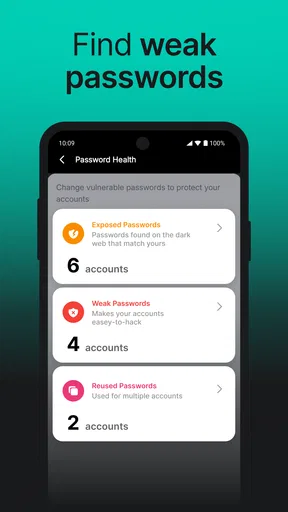
Yes, NordPass provides several additional features, such as secure notes, password health reports, and data breach scanning. The secure notes feature lets you store important information like credit card numbers or personal details, while the breach scanning warns you if your information is compromised.
Is there a free version of NordPass available?
NordPass offers a free version with essential features like password storage and auto-fill. However, to unlock advanced features such as password sharing, priority support, and access to the password health checker, you can opt for the premium version, which requires a subscription.


